Digital Workspace Consulting

For project-based businesses who have outgrown their inbox .

(And random spreadsheets)

sleek moody office with folders and files
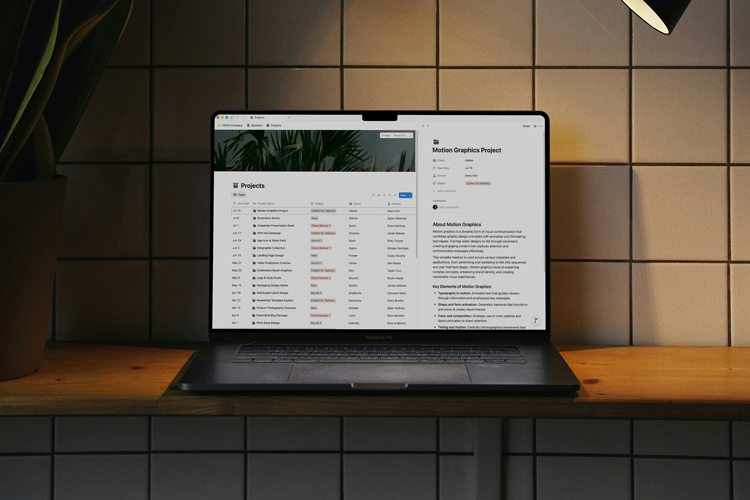
laptop on shelf with tile background displaying orderly rows of data
Hi James, it was great connecting last week. I'm excited to set a time to meet your team and talk about...
what is workspace consulting?

It's like hiring an architect for the digital pieces that make your business run.

With the growth of business comes behind the scenes complexities. Project management, files of notes, client meetings, work processes, scheduling, and so on.

Designed systems help reduce the friction and frustration that comes with everyday operations. Do less thinking about how to do the work, and focus on what matters to you.

an illustrated building made out of files and folders
The process

4-Step Method

White circular refresh icon with two arrows on a black background.
Processes often change and grow with the business. There's also no denying that new ways of working often feel like more work in the beginning.  But try and think of it like pedaling a bike: Those first few rotations require a bit more effort to get going, but once you establish a rhythm, the effort becomes remarkably lighter.

Take a look at our cyclical development process. 4 steps, then rinse and repeat.

Assess

Icon of vertical gray audio sound waves of varying heights on a light background.
Identify friction, repetition, and frustrations within your current operations. Knowledge is half the battle.

Design

Gray icon of a folded map.
Plan new processes and systems to achieve your business goals. Brick by brick, we create new ways of working.

Build

Icon resembling Tetris-style blocks in light gray on white background.
Build improved workflows, migration plans, and skills for continuous improvement in your new systems.

Refine

Bookmark icon with a check mark inside.
Monitor the updated workflows, make micro-adjustments to optimize those systems, and start the assess again.
what would a project engagement look like?

Every project is based on a 1-on-1 tailored approach. No generic templates that sort of fit.

orderly files on a desk

Sample Project*

week 1
Discovery & Interviews
A deep-dive into your current systems, processes, tech stack and hang-ups.
week 2
Analysis & Organization
Discovery and interview notes are analyzed to establish the action plan.
Week 2-3
Recommendations
A tailored list of recommendations based on the action plan is provided for approval.
week 3-4
Implementation Begins
Systems work begins on approved recommendations. The solutions begin to take life and are rolled out to key project personel.
week 4-8
Kaizen + Micro-Refinements
The refined solutions are released to the larger team. Processes and workspaces receive micro-adjustments to increase adoption and utility.
the case for a consultant

What problems do we solve?

If you've read this far you're starting to understand the massive benefits to customizing your digital workspace for your organization.
A screenshot of a notion database.
Scattered Tools and Systems
Having a variety of tools isn't the problem. The problem is usually that they don't talk to each other very well (or at all). Together we'll determine what's needed and the best way to connect them.
A screenshot of a Notion wiki page.
Knowledge Management and Silos
Store your critical company documents and shared knowledge in a single system. From project documents to HR vacation policies. No more bothering Jill on vacation for a file you can't find.
A screenshot of a notion AI screen.
Excessive Emails & Slack Messaging
Let's lighten the load on the "What's the status on this project?" emails and the "Did you ask the client about this?" slacks. Build robust projects and easily searchable databases to surface information as needed.
Knowledge Base

Answers to Questions

If you can't find the answer to your question, feel free to email us at support@retinaconsulting.co
Do you only implement Notion solutions?

Yes—for the moment. Notion provides a flexible and powerful system which can be customized to fit nicely into nealy any organization. It's a solid solution, continuously updated, and well-maintained by the company.

How much work will I need to do to prepare for our project engagement?

The process is highly collaborative. After all, we want to ensure the best possible implementation for your company. At the point of discovery, we'll discuss the needs for your specific project. This will likely include setting aside time for interviews, explanation of current processes and workflows, and important documents you rely on.

Will this entire process be online?

It can be, though we'd love the opportunity to visit your offices and get to see the work in action. We understand with the rise of remote working that office visits aren't always an option.

Why do I need a consultant? Can't I just do this myself?

You absolutely can! Notion, along with a dedicated audience of creators, publishes all kinds of tutorials, trainings, how-to's, template downloads, and more. It's definitely one of the perks of going with a system as well known and loved at Notion. However, if the blank page scaries or endless customization possibilities are not your thing, we'd be more than happy to step in.

Do I have to sign up for Notion to use the newly created system?

Yes. Each employee using the system will need an account. While there is a cost associated with using the system, the value far exceeds. Think about it this way, one employee saving just 30 minutes a week can gain back 24 hours of worktime each year. Multiply that out across the organization and you're putting some serious value back into your team.

What's the difference between a workshop and a project?

A workshop is a one-time event where we deliver a curated organization and productivity session. Projects include ongoing learning, planning, and implementation of a Notion organizational system within your company. We'll look at SOP's, tracking systems, workflows—all the things that make your company tick—and optimize.

What’s the best way to get started?

Click any of the get started or learn more buttons on the site. We'll start a conversation and see if we're a good fit for each other. No obligations, just real talk 🤙

Do you only implement Notion solutions?

Yes—for the moment. Notion provides a flexible, scalable, and powerful system which can be customized to fit nicely into nealy any organization. It's a solid solution, continuously updated, and well-maintained by the company.

How much work will I need to do to prepare for our project engagement?

The process is highly collaborative. After all, we want to ensure the best possible implementation for your company. At the point of discovery, we'll discuss the needs for your specific project. This will include setting aside time for interviews, explanation of current processes and workflows, and important documents you rely on. We'll also have periodic meetings to refine the build during our sprints.

Will this entire process be online?

It can be, though I'd love the opportunity to visit your offices and get to see the work in action. It's understandable with the rise of remote work that office visits aren't always an option.

Why do I need a consultant? Can't I just do this myself?

You absolutely can! Notion, along with a dedicated audience of creators, publishes all kinds of tutorials, trainings, how-to's, template downloads, and more. It's definitely one of the perks of going with a system as well known and loved as Notion. However, if the blank page scaries or endless customization possibilities are not your thing, that's where Retina can step in.

Do I have to sign up for Notion to use the newly created system?

Yes. Each employee using the system will need an account. While there is a cost associated with using the system, the value far exceeds. Think about it this way, the new system needs to save each employee $20 worth of time per month to break even. We're going to beat that...

What does it cost for a custom, workspace engagement?

Final project investment is decided upon once we've agreed to a scope/timeline and signed the contract. The pricing varies based on the size and needs of the organization. That said, I realize it's helpful to have some context. Engagements start at around $5,000. The goal is to create a system that easily reclaims that investment and continues to add value into the future.

What happens after the build? Am I just left hanging?

The engagement is designed to deliver you with a wonderfully, working workspace. Upon completion you should have everything you need to move forward. Of course, if you'd like us to stay on we offer a monthly retainer. You'll get asynchronus access to a private slack channel for direct questions, a monthly review meeting, and some other helpful perks.

What’s the best way to get started?

Send me a message through the contact form. We'll start a conversation and see if we're a good fit for each other. No obligations, just real talk 🤙

Do you only implement Notion solutions?

Yes—for the moment. Notion provides a flexible and powerful system which can be customized to fit nicely into nealy any organization. It's a solid solution, continuously updated, and well-maintained by the company.

How much work will I need to do to prepare for our project engagement?

The process is highly collaborative. After all, we want to ensure the best possible implementation for your company. At the point of discovery, we'll discuss the needs for your specific project. This will likely include setting aside time for interviews, explanation of current processes and workflows, and important documents you rely on.

Will this entire process be online?

It can be, though we'd love the opportunity to visit your offices and get to see the work in action. We understand with the rise of remote working that office visits aren't always an option.

Why do I need a consultant? Can't I just do this myself?

You absolutely can! Notion, along with a dedicated audience of creators, publishes all kinds of tutorials, trainings, how-to's, template downloads, and more. It's definitely one of the perks of going with a system as well known and loved at Notion. However, if the blank page scaries or endless customization possibilities are not your thing, we'd be more than happy to step in.

Do I have to sign up for Notion to use the newly created system?

Yes. Each employee using the system will need an account. While there is a cost associated with using the system, the value far exceeds. Think about it this way, one employee saving just 30 minutes a week can gain back 24 hours of worktime each year. Multiply that out across the organization and you're putting some serious value back into your team.

What's the difference between a workshop and a project?

A workshop is a one-time event where we deliver a curated organization and productivity session. Projects include ongoing learning, planning, and implementation of a Notion organizational system within your company. We'll look at SOP's, tracking systems, workflows—all the things that make your company tick—and optimize.

Are you a real person?

That's deep. Yes, 100% human. I've worked in project management, marketing and creative strategy and photography/design for the past 20 years. Get to know me a bit better here (bio coming soon).

What’s the best way to get started?

Fill out the contact form and tell me about your needs. We'll have a conversation and see if we're a good fit!

Are you ready to see the whole picture?

Get the conversation started. Fill out the form and we'll get back to you shortly. I'll respond within 24 hours to set up our next steps to see if we're both the right fit.
Name
email
Interest
message
Thank you! Your submission has been received!
Oops! Something went wrong while submitting the form.